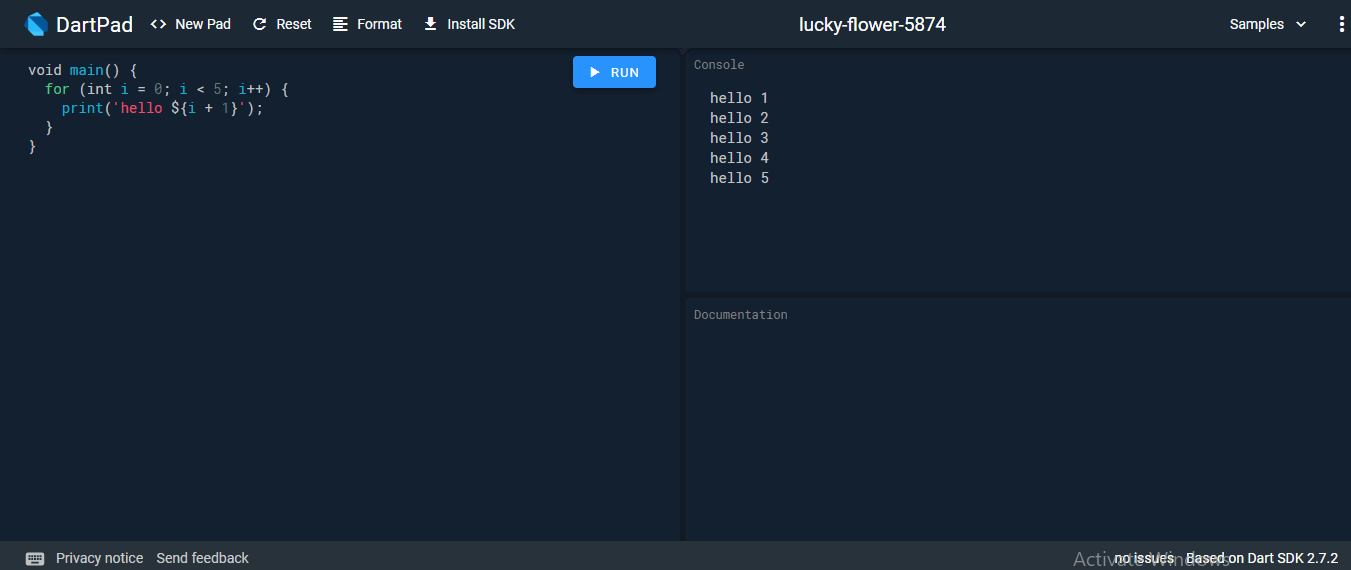
We have discussed Dark installation on the various operating systems so far, but if we do not want to install Dart then there is an online Dark editor (Known as DartPad) is available to run the Dark programs. The online DartPad is provided at https://dartpad.dev/. The DartPad offers to execute the dart scripts and display HTML and also console output. The online DartPad looks like the below image.
Dart IED Support
The Eclipse, IntelliJ, and WebStorm are the IDEs from the Jet brains that support the Dart Programming, but WebStorm is more popular than others. We can download it from https://www.jetbrains.com/webstorm/download/#section=windows-version.
The dart2js Tool
The Dark SDK comes with the dart2js tool, which transmits the Dart code into runnable JavaScript code. It is necessary because few web browsers do not support the Dart VM.
Use the following command in the terminal to compile the Dart code into JavaScript code.
- dart2js – – out = <output_file>.js <dart_script>.dart
The above command will create a file that contains the JavaScript code corresponding to the Dart code.